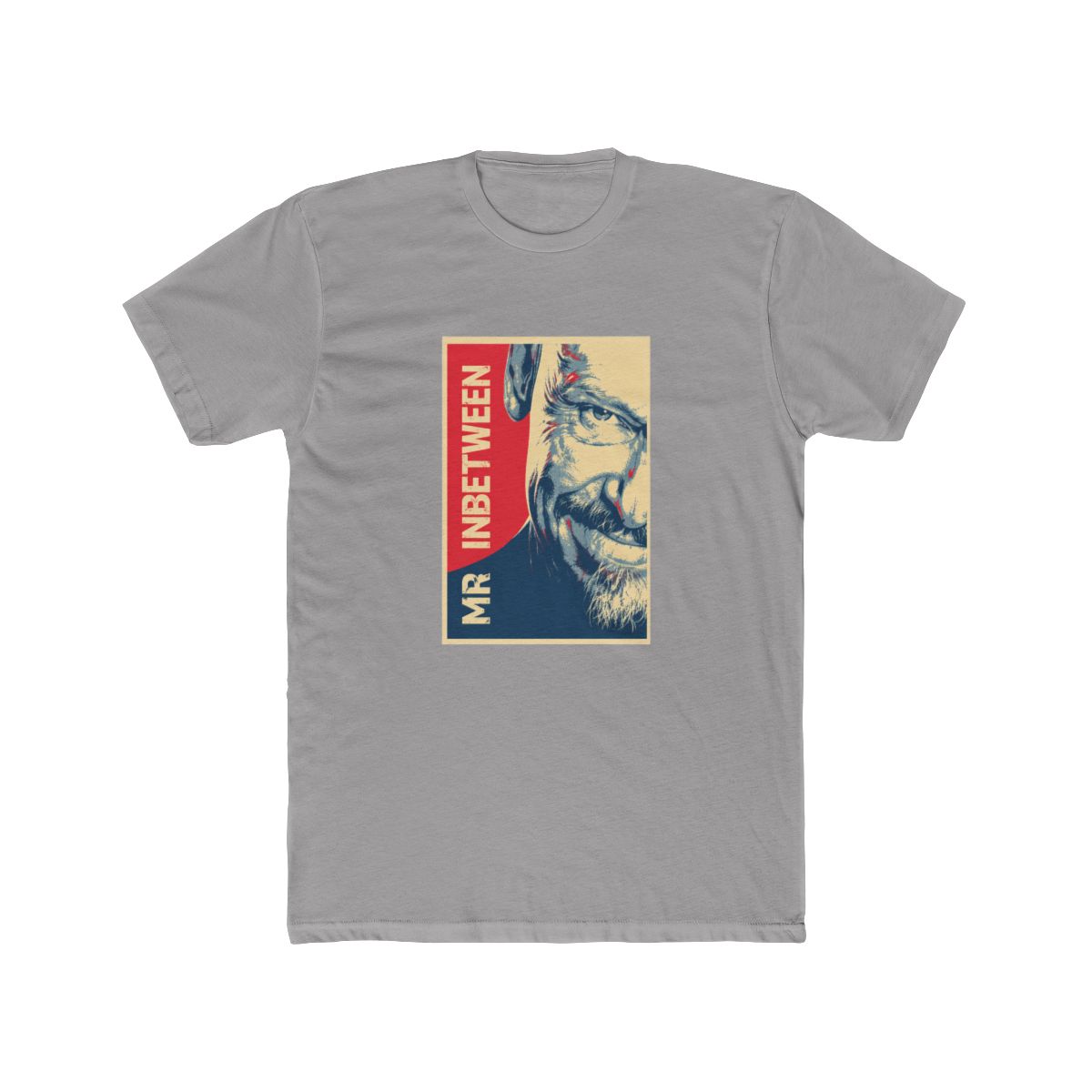
I still remember the day I carefully peeled the plastic off my first Mr Inbetween 'Mate' tee. The deep black fabric, the crisp white screen print of Ray's iconic fedora. Within three washes, that print started to crack. I was a merch designer - I should have known better. That mistake taught me exactly how to care for DTG and screen-printed apparel. In this Mr Inbetween merch care guide, you'll learn the washing, drying, and storage techniques that keep your Ray Shoesmith gear looking like new for years.
← Back to Blog
Mr Inbetween Merch Care Guide: Keep Your Ray Shoesmith Gear Fresh 2026
Learn the best washing, drying, and storage techniques to keep your Mr Inbetween Ray Shoesmith merch looking fresh. Includes specific tips for DTG and screen-printed apparel.
Why Proper Care Matters for Your Mr Inbetween Apparel
Most Mr Inbetween merchandise uses direct-to-garment (DTG) printing or screen printing. DTG prints sit on the fabric surface and are vulnerable to heat and abrasion. Screen prints bond with fibers but can crack if handled roughly. Either way, the longevity of your shirt or hoodie depends on how you treat it from the first wash.
These pieces are more than clothes. They're conversation starters for fans of the show. A faded, cracked print doesn't just look worn - it loses the detail that makes the design pop. Take the 'Ray Shoesmith Business Time' hoodie. That intricate graphic of Ray in his suit with the catchphrase deserves to stay sharp. Proper care saves you money and keeps your merch wearable.
Washing Tips for Mr Inbetween T-Shirts and Hoodies
Step 1: Turn Your Garment Inside Out
This is non-negotiable. Turning the shirt inside out protects the print from direct friction against other clothes and the machine drum. The fabric absorbs most of the agitation, not the ink. I recommend doing this before every wash.
Pro tip: Keep a small laundry bag for delicate prints. Bonus if you use it for the 'Ray Shoesmith' tee with the full-back design.
Step 2: Use Cold Water Only
Hot water is the enemy. It softens the plasticizer in screen-print inks and can make DTG prints peel. Cold water (60-70 F) is perfect. It cleans effectively without compromising the bond between ink and fabric.
Common mistake: Assuming warm water is fine. Even warm water can shorten a print's life by 30% over a year.
Step 3: Choose a Gentle Cycle and Mild Detergent
Heavy-duty cycles create excessive agitation. Select the delicate or gentle cycle on your machine. For detergent, avoid anything with bleach, enzymes, or optical brighteners. These chemicals attack the ink pigments. A simple, dye-free detergent works best.
Pro tip: Turn off the spin cycle or set it to low. High-speed spinning can crease the print.
Step 4: Air Dry or Low Heat in the Dryer
Heat is the #1 killer of printed merch. Always air dry if possible. Lay the shirt flat on a drying rack away from direct sunlight. If you must use a dryer, choose the lowest heat setting (no more than 15 minutes) and remove the shirt while it is still slightly damp.
Pro tip: Never dry a printed hoodie on high heat. The fleece lining can shrink and distort the print. The 'Mr Inbetween Dark Logic' hoodie is particularly prone to shrinkage.
Storing Your Mr Inbetween Merchandise
Fold, Don't Hang
Hanging T-shirts stretches the neckline and shoulders over time. The weight of the print can also cause the fabric to sag. Folding keeps the shape intact. For hoodies, fold them with the print facing inward to avoid creases.
Keep Away from Light and Moisture
UV light fades black fabric and lightens ink colors. Store your merch in a dark closet or drawer. Avoid damp basements - moisture encourages mildew that ruins the fabric and print. Silica gel packets in your drawer help control humidity.
Use Acid-Free Tissue for Special Pieces
If you have rare or limited-edition Mr Inbetween merch (like the 'Ray Shoesmith's Creed' poster tee), wrap it in acid-free tissue paper before storing. This prevents yellowing and ink transfer between folds.
Common Mistakes to Avoid
- Using fabric softener. It coats the fibers and makes the print surface slippery, leading to premature peeling. Instead, add half a cup of white vinegar to the rinse cycle to soften fabric naturally.
- Ironing directly on the print. The heat can melt or bubble the ink. If you must iron, do it on the reverse side with a low setting. For tough wrinkles, steam from a distance.
- Piling clothes on top of your merch. Heavy stacks compress the print and can cause permanent crease marks. Store printed items on top or with ample space.
- Using bleach or stain removers with chlorine. These chemicals attack the dyes and ink. For stains, pretreat with a little dish soap and cold water, then wash normally.
- Believing 'set it and forget it'. Even a high-quality print will degrade if you ignore care labels. Check the tag on your Mr Inbetween gear - many recommend hand washing.
When to Retire Your Favorite Mr Inbetween Gear
Every piece has a lifespan. Look for these signs that it's time to retire a shirt or hoodie:
- Cracking that exposes bare fabric. Small cracks are fine, but when the design flakes off in patches, the garment is past its prime.
- Fading that makes the design unreadable. If Ray's fedora looks like a blur, it's done.
- Holes or thinning fabric. Especially common in armpits and necklines. A hole near a print can widen and ruin the image.
- Stretched collar or cuffs. A hoodie that no longer fits snugly loses its style.
Don't toss it - repurpose it! Cut the print out and frame it, use the shirt as a cleaning rag (if the fabric is cotton), or donate it to a fan who doesn't mind the wear.
Frequently Asked Questions
Can I bleach my Mr Inbetween t-shirt to whiten the fabric?
No. Bleach will destroy the print and damage the dye. If you need brightening, soak in a mixture of water and baking soda overnight, then wash cold.How do I remove stains from a printed shirt without harming the design?
Blot the stain immediately with cold water. Apply a drop of mild dish soap directly, gently rub with your fingers, then rinse. Do not scrub the print. Repeat if needed.Is it safe to dry clean Mr Inbetween merch?
Dry cleaning uses harsh chemicals that can react with the ink. It is not recommended. Stick to cold water washing and air drying.Why did my 'Ray Shoesmith' hoodie shrink after the first wash?
Most hoodies are cotton or cotton blends. Cotton shrinks when exposed to heat. Always wash in cold water and air dry to prevent shrinkage.Can I use a print protector spray on my merch?
Yes, but test on a small hidden area first. Some sprays create a stiff layer that feels uncomfortable. A better approach is proper washing and storage.Key Takeaways
- Turn all Mr Inbetween prints inside out before washing.
- Use cold water on a gentle cycle with mild detergent.
- Air dry - heat is the enemy of prints.
- Fold shirts and store in a cool, dark, dry place.
- Retire gear when prints crack extensively or fabric thins.
Related Posts
undefined
Mr Inbetween International Merch Guide 2026
Buying Mr Inbetween merch from abroad? Our 2026 guide covers shipping policies, size conversions, cu...
undefinedMr Inbetween Beanies and Hats for True Fans 2026
Looking for the perfect Mr Inbetween beanie? Explore 2026's top fan-designed hats, styling tips, and...
undefinedMr Inbetween Gaming Hoodie: The Best Hoodies for Long Play Sessions in 2026
Looking for a hoodie built for marathon gaming? The Mr Inbetween Premium Hoodie combines heavyweight...
Shop Mr Inbetween Merch
Official merchandise — premium quality, designed for the community.